Remixing & Variations
Create variations of existing presets to explore different looks.
What Are Variations?
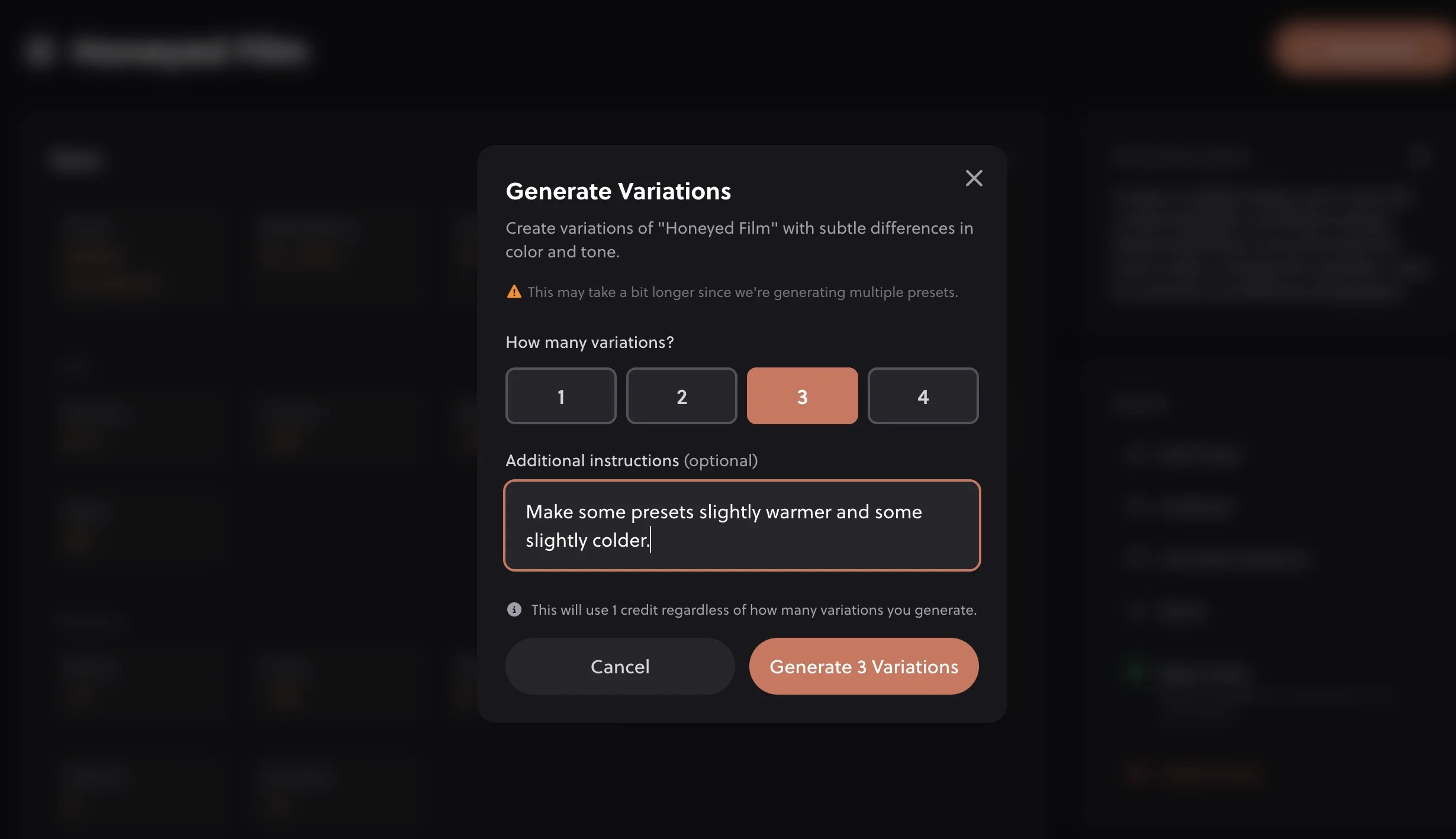
Variations let you take any preset you've created and generate alternative versions of it. This is perfect when you like a preset but want to explore different directions: maybe a warmer version, a more contrasty take, or a completely different interpretation of the same concept.
How to Create Variations
- Navigate to any preset in your library
- Click the "Generate Variations" or "Remix" button
- Optionally add guidance like "warmer" or "more contrast"
- Click Generate
- Review the new variation and save it to your library
Types of Variations
You can guide variations in several ways:
Unguided Variations
Leave the guidance field empty and the AI will create a variation that maintains the overall feel but changes specific parameters. Great for exploring possibilities you might not have thought of.
Guided Variations
Add specific direction to steer the variation:
- "Warmer": Shift the temperature toward orange/yellow
- "Cooler": Shift toward blue/teal
- "More contrast": Increase the tonal range
- "Softer": Reduce contrast, lift shadows
- "More saturated": Boost color intensity
- "More faded": Lift the blacks for a film look
- "Moodier": Darker, more atmospheric
Example Variation Prompts
- "Same vibe but for indoor lighting"
- "Keep the colors but reduce the fade"
- "Push the teal in the shadows more"
- "Make it work better for portraits"
Literal Settings with @syntax
For precise control, use @setting syntax to set exact values that override the original preset. This is especially useful when the AI keeps a setting you want changed.
Example @setting Usage
- @clarity 0 - Force clarity to zero
- @denoise 50 @grain 0 - Add noise reduction, remove grain
- Warmer tones @temperature 30 - Combine with descriptions
See Writing Effective Prompts for a full list of supported settings.
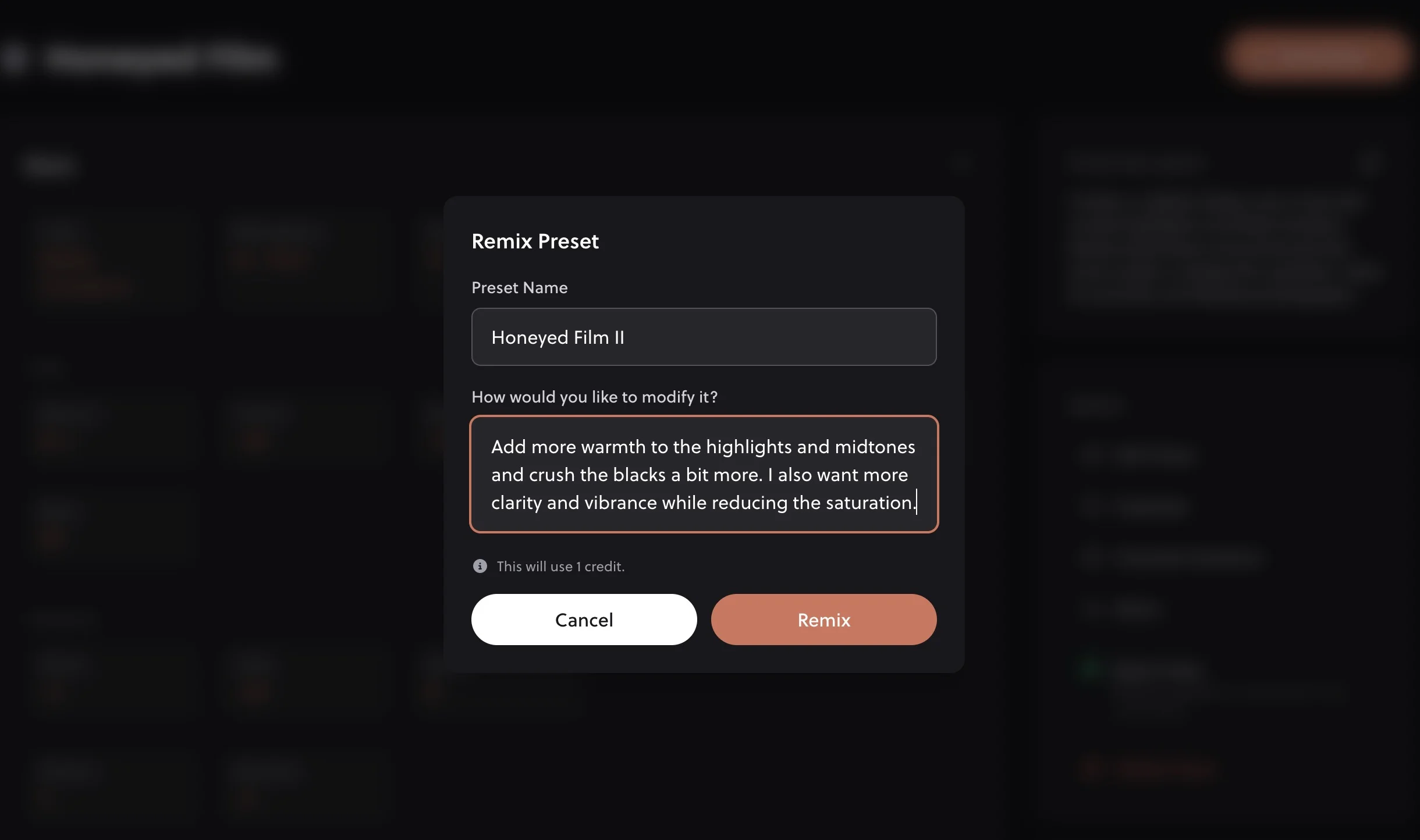
What is Remixing?
Remixing is similar to variations but typically involves combining elements from the original preset with new creative direction. Think of it as "inspired by" rather than "a version of." The AI uses the original as a jumping-off point but may take more creative liberties.
When to Use Variations vs. New Generation
Use Variations When:
- You like a preset but want to tweak it
- You want multiple versions for different lighting
- You're building a cohesive preset pack
- The original is 80% right
Remix a preset when:
- You want a completely different look
- The original preset missed the mark
- You have a new idea or inspiration
- You want to try a different style entirely
Building a Preset Collection
Variations are a great way to build a cohesive set of presets:
- Create a "base" preset that captures your style
- Generate variations for different scenarios (indoor, outdoor, golden hour, etc.)
- Create intensity variations (subtle, medium, strong)
- Organize them into a folder for easy access
Pro Tip: Variation Chains
You can create variations of variations! If you generate a variation and like the direction but want to push it further, create another variation from that one. This lets you gradually refine toward your ideal look.
Variations from Community Presets
Found a preset you love in the Community Gallery? You can create variations or remix community presets to make them your own. This is a great way to build on others' work while developing your unique style.
Related Guides
- Writing Effective Prompts: Guide your variations with better descriptions
- Managing Your Presets: Keep your variations organized
- Organizing into Folders: Group related variations together
- Community Gallery: Find inspiration for variations