Community Gallery
Browse and get inspired by presets shared by other photographers.
The Community Gallery is available on paid plans. View plans
What is the Community Gallery?
The Community Gallery is where Hyperfocal users share their best presets with each other. It's a place to discover new looks, get inspired by other photographers' styles, and find presets you can use as starting points for your own work.
Why We Built the Community
Photography is inherently creative and collaborative. The Community Gallery exists to:
- Inspire creativity: See what's possible and discover looks you might never have thought to try
- Learn from others: Study how other photographers describe and create their aesthetic
- Save time: Find great presets without generating from scratch
- Connect photographers: Follow creators whose style resonates with you
- Give back: Share your creations and help others in their photography journey
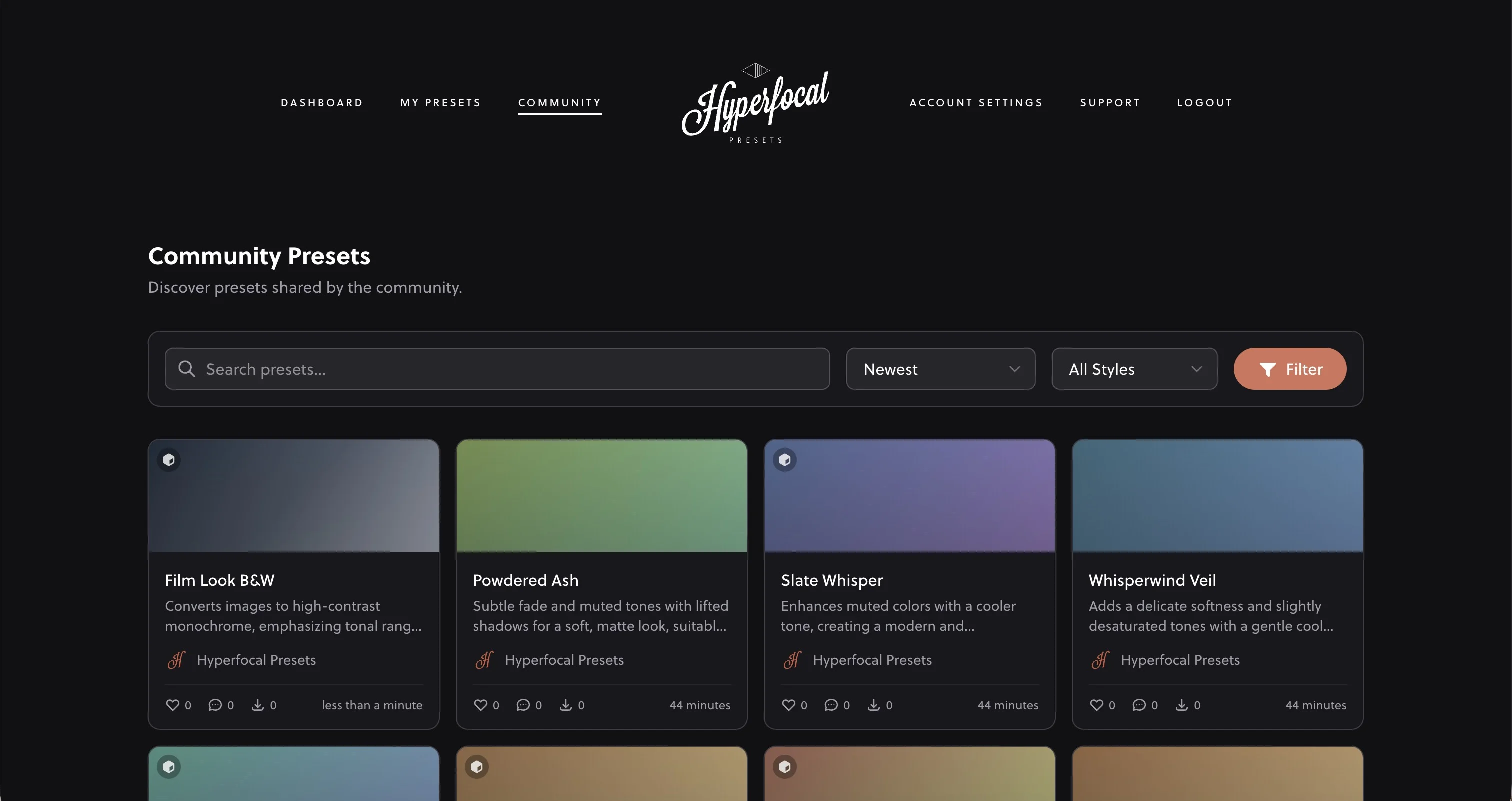
Browsing the Gallery
The Community Gallery is organized to help you find great presets:
- Popular: Most downloaded and liked presets
- Recent: Newest additions to the community
- Search: Find presets by name, description, or creator
Using Community Presets
When you find a preset you like:
Free to Use, No Attribution Required
Community presets are free to download and use. When you download a community preset, it becomes part of your library with full ownership rights: use it commercially, modify it, or share your own variations. By sharing presets with the community, you are allowing other users to use your presets without any attribution.
- Click on the preset to view its details and preview
- Click "Download" to add it to your library
- The preset is now yours to use, modify, or create variations from
Following Creators
Find a photographer whose style you love? Follow them to:
- See their new presets in your feed
- Visit their profile to browse all their shared presets
- Get notified when they share something new
Liking & Engagement
Show appreciation for great presets by liking them. Likes help surface the best presets to the community and let creators know their work is valued.
Community Guidelines
To keep the Community Gallery valuable for everyone:
- Share quality work: Only share presets you're proud of and think others will find useful
- Use descriptive names: Help others understand what your preset does
- Be respectful: Constructive feedback is welcome; negativity is not
- Give credit: If your preset is inspired by another creator, acknowledge them
- No spam: Don't flood the gallery with low-effort variations
Creating Variations from Community Presets
Found a community preset that's close to what you want? Use the Variations feature to create your own spin on it. This is a great way to learn from others' work while developing your own unique style.
Sharing Your Own Presets
Ready to contribute to the community? Learn how to share your presets and become part of the creative exchange.
Related Guides
- Sharing Your Presets: Contribute to the community
- Remixing & Variations: Build on community presets
- Managing Your Presets: Organize downloaded presets
- Writing Effective Prompts: Create your own great presets