Sharing Your Presets
How to share your presets publicly and connect with other creators.
Why Share Your Presets?
Sharing your presets with the Community Gallery is a great way to contribute to the photography community, get feedback on your work, build a following, and help others discover looks they might love.
How to Share a Preset
- Navigate to the preset you want to share in your library
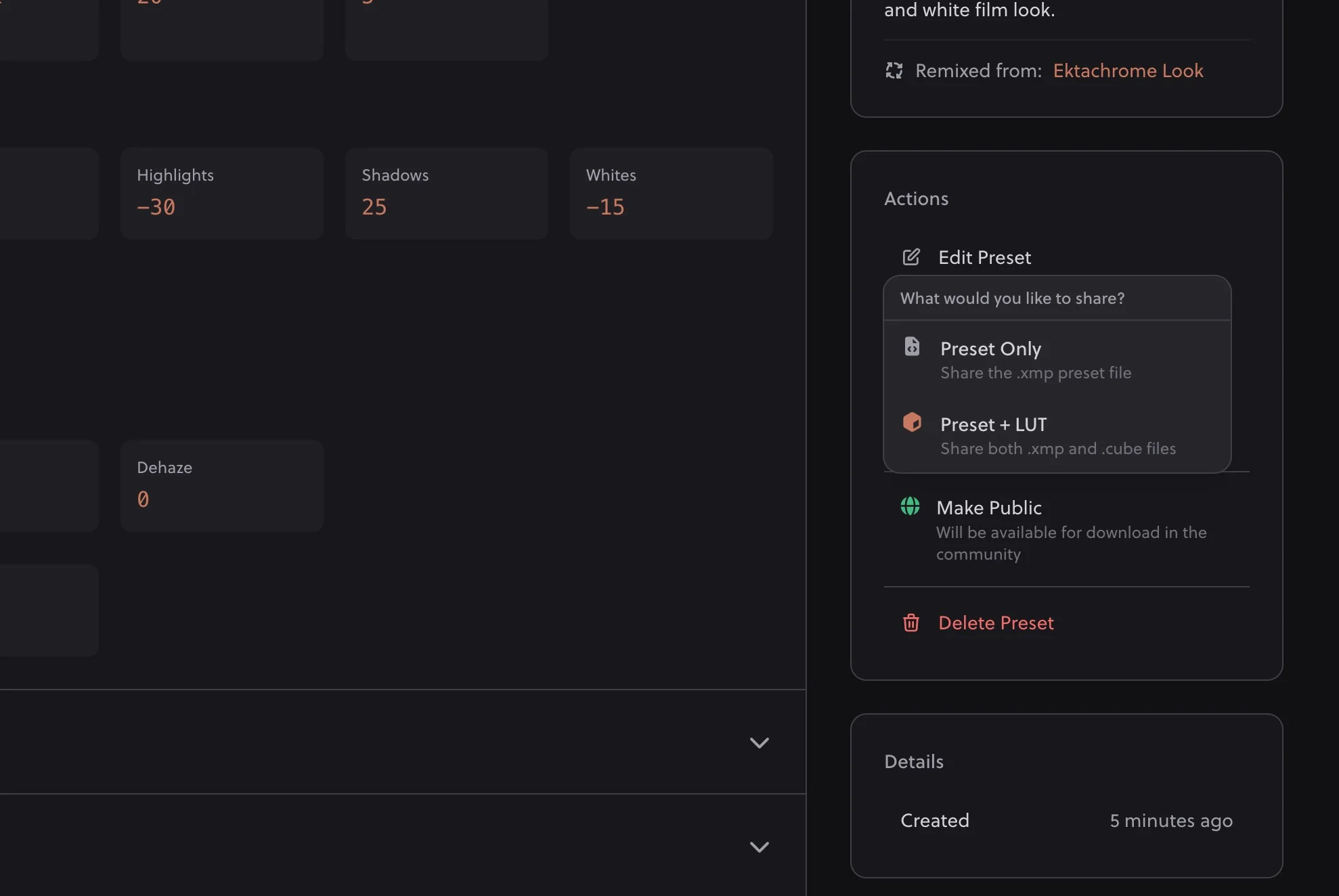
- Click "Make Public" in the Actions box in the sidebar
- Confirm to share your preset with the community
What Gets Shared
When you share a preset, the community can see:
- Preset name: The name you've given it
- Description: The generated description for the preset
- Your username: So others can find more of your work
- Creation date: When it was shared
Your Prompt Stays Private
The original prompt you used to create the preset is not shared publicly. Only the resulting preset and its metadata are visible to others.
No Attribution Required
By sharing your presets with the community, you are allowing other users to download and use them without any attribution required.
Tips for Sharing
Use Descriptive Names
Help others understand what your preset does at a glance. Names like "Golden Hour Portraits" or "Moody Forest Tones" are more helpful than "Preset 1" or "Test."
Share Your Best Work
Quality over quantity. Share presets you're genuinely proud of and think others will find useful. This builds your reputation in the community.
Write Good Descriptions
A good description helps users know if your preset is right for them. Mention what type of photos it works best with, the mood it creates, or any specific characteristics.
Unsharing a Preset
Changed your mind? You can make a preset private again by clicking Make Private in the Actions box in the sidebar on the preset detail page.
Note: Users who already downloaded your preset will still have their copy, but it will no longer appear in the Community Gallery.
Building Your Profile
When you share presets, you're building a public profile that others can follow:
- Consistent style: Share presets that reflect your aesthetic to attract like-minded followers
- Regular contributions: Active creators tend to build larger followings
- Engage with others: Like presets you enjoy and follow creators whose style inspires you
Ownership & Rights
When you share a preset, you're granting the community a license to download and use it freely, including commercially, without attribution. You remain credited as the creator, but others can use, modify, and create variations from your shared presets. This is the spirit of community sharing.
Community Guidelines
When sharing, please follow these guidelines:
- Only share original work you created with Hyperfocal
- Don't spam the gallery with many similar presets
- Use appropriate names and descriptions
- Be respectful to other community members
Related Guides
- Community Gallery: Browse what others have shared
- Managing Your Presets: Organize before sharing
- Writing Effective Prompts: Create share-worthy presets
- Remixing & Variations: Build on community presets